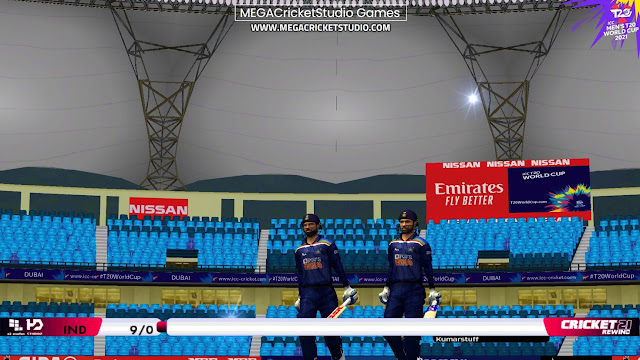
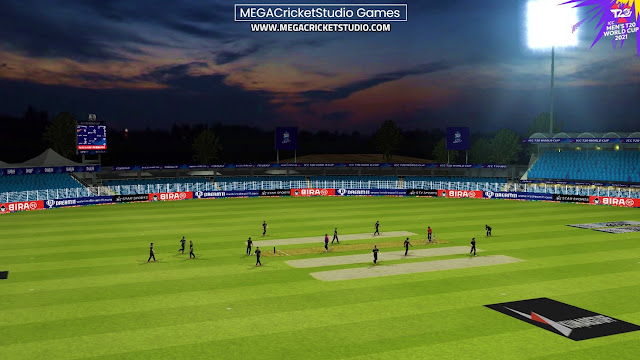
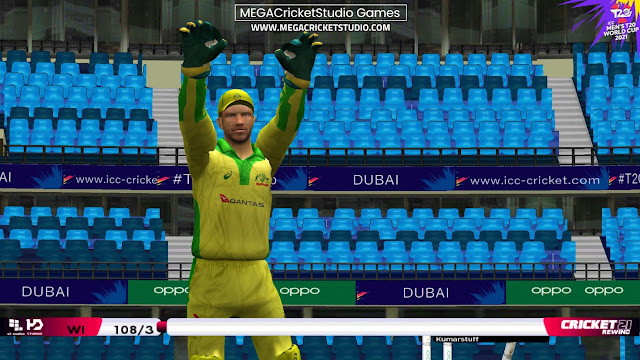
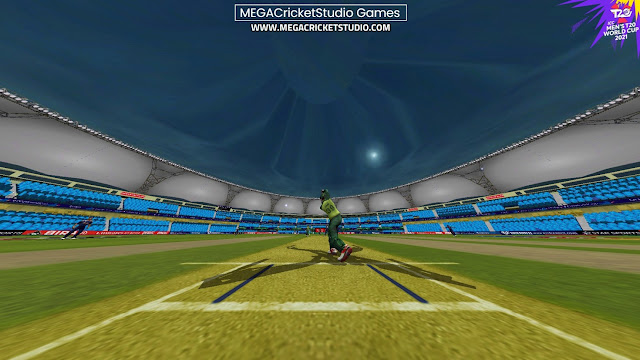
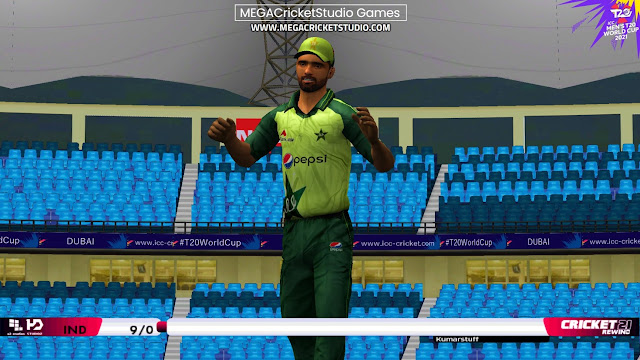
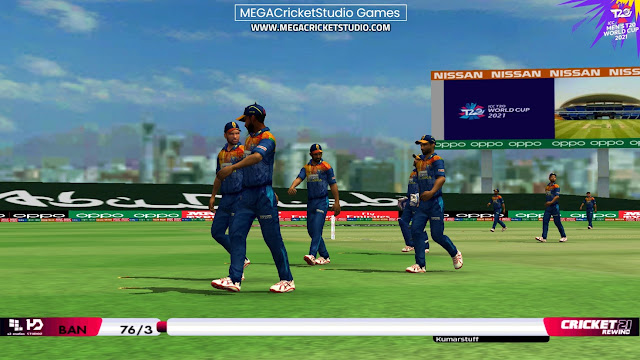
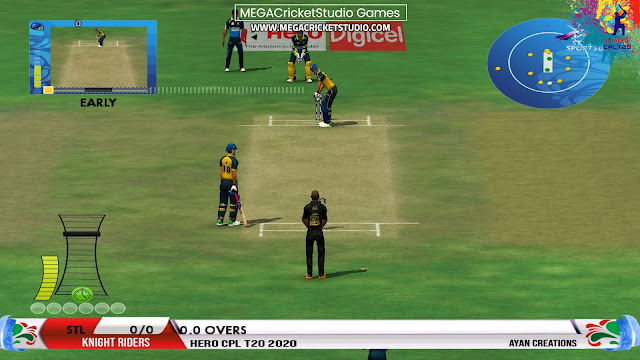
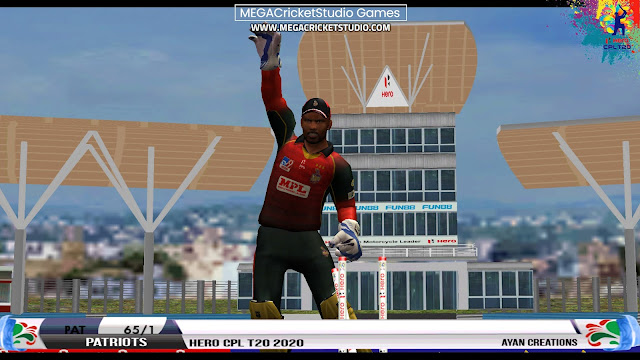
MEGA Cricket Studio in association with A2 StudioZ and HD StudioZ is proud to present ICC T20 World Cup 2021 Patch for EA Cricket 07. The most awaited and authentic patch as we bring youA2 Studios x HD StudioZ ICC T20 World Cup 2021 Patch for EA Sports Cricket 07
TEASER | ICC T20 WORLD CUP 2021 PATCH
ICC T20 World Cup 2021 Patch - Official Teaser
DESCRIPTION | ICC T20 WORLD CUP 2021 PATCH
Powered by MEGA Cricket Studio, in association with A2 Studios & HD StudioZ, now the wait is over we bring you the hot A² Studios x HD StudioZ ICC T20 World Cup 2021 for EA Sports Cricket 2007. Lead your team to glory with this patch. The truly global cricket simulation from A2 Studios x HD StudioZ, the leading name in authentic, realistic cricket action, A²+HD Studioz ICC T20 World Cup 2021 allows you to take control of your team, straight through national level, and lead them to The Ultimate T20 glory and get home the new World T20 2021 Trophy . A²+HD Studioz ICC T20 World Cup 2021 contains High Quality Kits of all participant teams, beautifully modelled and textured stadiums, incredibly HD Logos, overlays, realistic faces of all players, up to dated squads of all teams, and much more. Mouthwatering! Isn’t it. So just download the patch & read out the instruction of how to install the patch. Test yourself then believe!
Release Date: August 15, 2021 Genre: Sports
Developer: MEGA Cricket Studio Publisher: MEGA Cricket Studio
SYSTEM REQUIREMENTS | ICC T20 WORLD CUP 2021 PATCH
OS Windows 10 64/32 Bit, Windows 8.1 64/32 Bit, Windows 8 64/32 Bit, Windows 7 64/32 Bit Service Pack 1, Windows Vista 64/32 Bit Service Pack 2* Processor Intel Core 2 Quad CPU Q6600 @ 2.40GHz (4 CPUs) / AMD Phenom 9850 Quad-Core Processor (4 CPUs) @ 2.5GHz Memory 2 GB RAM Sound Card 100% DirectX 8 compatible HDD Space 16 GB available space
FEATURES | ICC T20 WORLD CUP 2021 PATCH
LATEST T20 Kits assigned correctly for 16 Participating Teams with numbers on Jersey.
All 16 Participating Team logos added (HD)
Realistic looking 4 stadiums modified and created!
Oman, Abu Dhabi, Dubai, Sarjah Cricket Stadium is added.
Roster with Real Names + transfers updated!
HD Pitch ads, LED stumps and outfields!
All new faces added and realistically assigned!
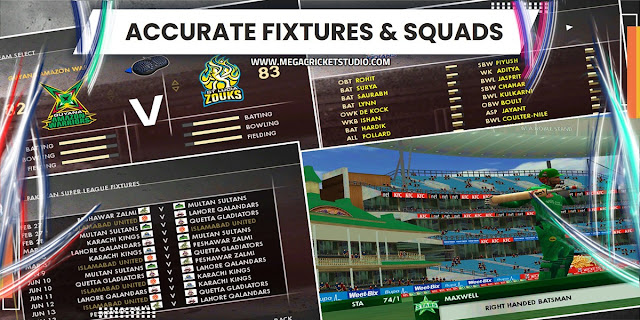
Genuine fixtures of T20 World Cup 2021
World Cup 2021 Kookaboora Ball is added
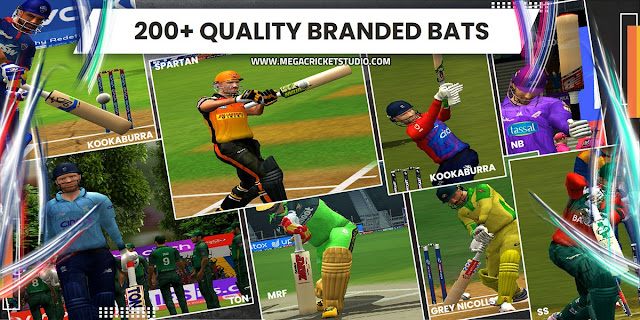
256 HD BATS correctly assigned to the players who own their bat!
Step 1:Download and Install Cricket 07 game in a folder (Get Cricket 07 game here)
Step 2:Visit this link and complete the purchase & download the International Cricket 2021 Rewind Game. After downloading,
Step 3: Extract Cricket 21 REWIND MEGA Patch.zip and Run Cricket 21 Rewind Mega Patch Installer.exe and install it anywhere in your computer using your Unique Registration Code that comes with your purchase. eg. Create a new Folder on Desktop (You can use WinRAR, WinZip, 7Zip to extract the downloaded File)
Step 4: After Installation open the folder where you installed the game and open 0.Main Patch Folder, and Run the Game Using 00.A2 HD C21 Launch.exe.
Step 5: Cricket 2021 Launcher will Open. Now Select the Tournament that you want to Play (Let’s say International > ICC T20 World Cup 2021).
Step 6: Now Select Original Cricket 07.exe in Executable Options.
Step 7: Now Select T20 Button ( This will select the Test Lineup) and the Game will start automatically.
Step 8: Go to My Cricket > Load/Save > Load roster > ‘C21.ros’ & Start Enjoying ICC T20 World Cup 2021 Game.
a detailed installation and gameplay video on ICC T20 World Cup 2021 Patch - Official Video
MEGA Cricket Studio in association with A2 StudioZ and HD StudioZ is proud to present ICC T20 World Cup 2021 Patch for EA Cricket 07. The most awaited and authentic patch as we bring youA2 Studios x HD StudioZ ICC T20 World Cup 2021 Patch for EA Sports Cricket 07
TEASER | ICC T20 WORLD CUP 2021 PATCH
ICC T20 World Cup 2021 Patch - Official Teaser
DESCRIPTION | ICC T20 WORLD CUP 2021 PATCH
Powered by MEGA Cricket Studio, in association with A2 Studios & HD StudioZ, now the wait is over we bring you the hot A² Studios x HD StudioZ ICC T20 World Cup 2021 for EA Sports Cricket 2007. Lead your team to glory with this patch. The truly global cricket simulation from A2 Studios x HD StudioZ, the leading name in authentic, realistic cricket action, A²+HD Studioz ICC T20 World Cup 2021 allows you to take control of your team, straight through national level, and lead them to The Ultimate T20 glory and get home the new World T20 2021 Trophy . A²+HD Studioz ICC T20 World Cup 2021 contains High Quality Kits of all participant teams, beautifully modelled and textured stadiums, incredibly HD Logos, overlays, realistic faces of all players, up to dated squads of all teams, and much more. Mouthwatering! Isn’t it. So just download the patch & read out the instruction of how to install the patch. Test yourself then believe!
Release Date: August 15, 2021 Genre: Sports
Developer: MEGA Cricket Studio Publisher: MEGA Cricket Studio
SYSTEM REQUIREMENTS | ICC T20 WORLD CUP 2021 PATCH
OS Windows 10 64/32 Bit, Windows 8.1 64/32 Bit, Windows 8 64/32 Bit, Windows 7 64/32 Bit Service Pack 1, Windows Vista 64/32 Bit Service Pack 2* Processor Intel Core 2 Quad CPU Q6600 @ 2.40GHz (4 CPUs) / AMD Phenom 9850 Quad-Core Processor (4 CPUs) @ 2.5GHz Memory 2 GB RAM Sound Card 100% DirectX 8 compatible HDD Space 16 GB available space
FEATURES | ICC T20 WORLD CUP 2021 PATCH
LATEST T20 Kits assigned correctly for 16 Participating Teams with numbers on Jersey.
All 16 Participating Team logos added (HD)
Realistic looking 4 stadiums modified and created!
Oman, Abu Dhabi, Dubai, Sarjah Cricket Stadium is added.
Roster with Real Names + transfers updated!
HD Pitch ads, LED stumps and outfields!
All new faces added and realistically assigned!
Genuine fixtures of T20 World Cup 2021
World Cup 2021 Kookaboora Ball is added
256 HD BATS correctly assigned to the players who own their bat!
Step 1:Download and Install Cricket 07 game in a folder (Get Cricket 07 game here)
Step 2:Visit this link and complete the purchase & download the International Cricket 2021 Rewind Game. After downloading,
Step 3: Extract Cricket 21 REWIND MEGA Patch.zip and Run Cricket 21 Rewind Mega Patch Installer.exe and install it anywhere in your computer using your Unique Registration Code that comes with your purchase. eg. Create a new Folder on Desktop (You can use WinRAR, WinZip, 7Zip to extract the downloaded File)
Step 4: After Installation open the folder where you installed the game and open 0.Main Patch Folder, and Run the Game Using 00.A2 HD C21 Launch.exe.
Step 5: Cricket 2021 Launcher will Open. Now Select the Tournament that you want to Play (Let’s say International > ICC T20 World Cup 2021).
Step 6: Now Select Original Cricket 07.exe in Executable Options.
Step 7: Now Select T20 Button ( This will select the Test Lineup) and the Game will start automatically.
Step 8: Go to My Cricket > Load/Save > Load roster > ‘C21.ros’ & Start Enjoying ICC T20 World Cup 2021 Game.
a detailed installation and gameplay video on ICC T20 World Cup 2021 Patch - Official Video
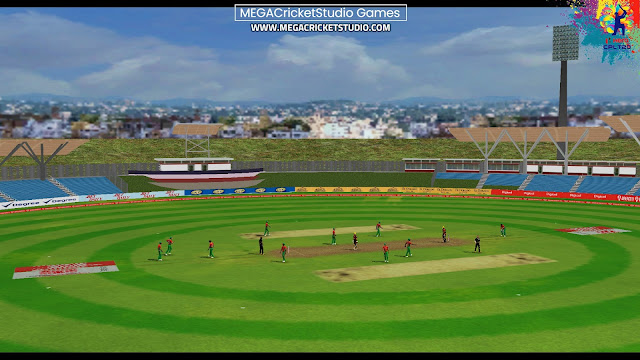
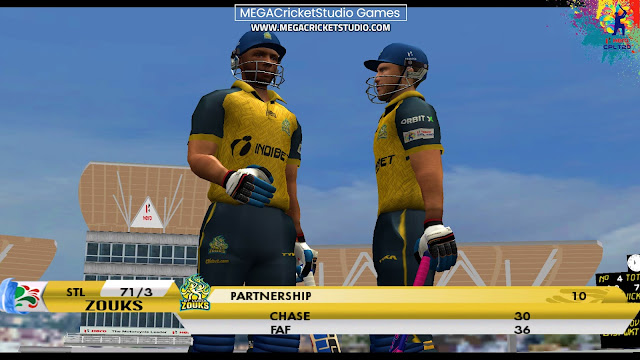
MEGA Cricket Studio in association with A2 StudioZ and HD StudioZ is proud to present HERO CPL T20 2021 Patch for EA Cricket 07. The most awaited and authentic patch as we bring youA2 Studios x HD StudioZ HERO CPL T20 2021 Patch for EA Sports Cricket 07
If you want the most authentic experience of the cricket in India, feel free to download Hero CPL T20 2021 Patch. This Patch comes with high-quality kit bags patch, high definition logos, all teams accurate squads in Hero CPL T20 2021 roster patch, totally assigned realistic face, overlays and menus patch, authentic fixtures, standing pitched and LED Stumps, and much more. This Hero CPL T20 2021 Edition will prove to be a revolution in Cricket 07 history. Test yourself then believe!
DESCRIPTION | HERO CPL T20 2021 PATCH
Powered by MEGA Cricket Studio, HERO Caribbean Premier League 2021, Delivers the exact experience of CPL in EA Sports Cricket 07 containing the latest stuff like the all teams HD Kits & Logos, Pitchads & Stumps With all the latest faces, realistic stadiums, accurate squads of all CPL teams. It also features all broadcasting overlays of all teams. The all-new gameplay delivers a champions-caliper experience with closer controls towards the game engine.
Release Date: October 15, 2021 Genre: Sports
Developer: A2 Studios x HD StudioZ Publisher: MEGA Cricket Studio
SYSTEM REQUIREMENTS | HERO CPL T20 2021 PATCH
OS Windows 10 64/32 Bit, Windows 8.1 64/32 Bit, Windows 8 64/32 Bit, Windows 7 64/32 Bit Service Pack 1, Windows Vista 64/32 Bit Service Pack 2* Processor Intel Core 2 Quad CPU Q6600 @ 2.40GHz (4 CPUs) / AMD Phenom 9850 Quad-Core Processor (4 CPUs) @ 2.5GHz Memory 2 GB RAM Sound Card 100% DirectX 8 compatible HDD Space 16 GB available space
FEATURES | HERO CPL T20 2021 PATCH
Latest Squads of CPL according to final teams at the start of the tournament
U19 players also in CPL squads
Realistic Three Gameplays:- Easy, Medium and Hard (Playable according to you)
Real Faces of all CPL players
All 100% Real Stadiums of CPL 2021 ( Caribbean Stadiums)
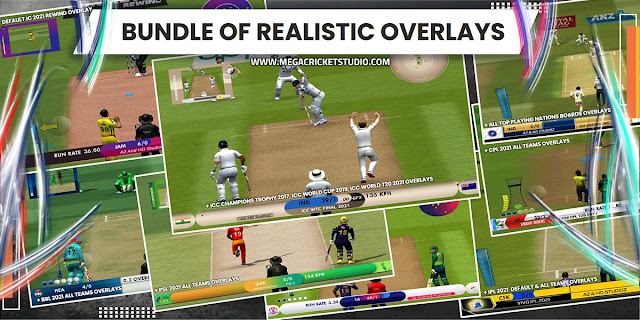
Accurate TV Overlays making the game fully real
All 6 teams CPL Overlays, and Super Over Overlay
Accurate CPL 2021 fixtures with the latest Roster.
Latest Kits assigned correctly for all 6 CPL teams
All CPL Team logos added & HD Pitchads and LED Stumps
Step 1:Download and Install Cricket 07 game in a folder (Get Cricket 07 game here)
Step 2:Visit this link and complete the purchase & download the International Cricket 2021 Rewind Game. After downloading,
Step 3: Extract Cricket 21 REWIND MEGA Patch.zip and Run Cricket 21 Rewind Mega Patch Installer.exe and install it anywhere in your computer using your Unique Registration Code that comes with your purchase. eg. Create a new Folder on Desktop (You can use WinRAR, WinZip, 7Zip to extract the downloaded File)
Step 4: After Installation open the folder where you installed the game and open 0.Main Patch Folder, and Run the Game Using 00.A2 HD C21 Launch.exe.
Step 5: Cricket 2021 Launcher will Open. Now Select the Tournament that you want to Play (Let’s say Domestic > Caribbean Premier League 2021 ).
Step 6: Now Select Original Cricket 07.exe in Executable Options.
Step 7: Now Select T20 Button ( This will select the Test Lineup) and the Game will start automatically.
Step 8: Go to My Cricket > Load/Save > Load roster > ‘C21.ros’ & Start Enjoying Caribbean Premier League 2021 Game.
MEGA Cricket Studio in association with A2 StudioZ and HD StudioZ is proud to present HERO CPL T20 2021 Patch for EA Cricket 07. The most awaited and authentic patch as we bring youA2 Studios x HD StudioZ HERO CPL T20 2021 Patch for EA Sports Cricket 07
If you want the most authentic experience of the cricket in India, feel free to download Hero CPL T20 2021 Patch. This Patch comes with high-quality kit bags patch, high definition logos, all teams accurate squads in Hero CPL T20 2021 roster patch, totally assigned realistic face, overlays and menus patch, authentic fixtures, standing pitched and LED Stumps, and much more. This Hero CPL T20 2021 Edition will prove to be a revolution in Cricket 07 history. Test yourself then believe!
DESCRIPTION | HERO CPL T20 2021 PATCH
Powered by MEGA Cricket Studio, HERO Caribbean Premier League 2021, Delivers the exact experience of CPL in EA Sports Cricket 07 containing the latest stuff like the all teams HD Kits & Logos, Pitchads & Stumps With all the latest faces, realistic stadiums, accurate squads of all CPL teams. It also features all broadcasting overlays of all teams. The all-new gameplay delivers a champions-caliper experience with closer controls towards the game engine.
Release Date: October 15, 2021 Genre: Sports
Developer: A2 Studios x HD StudioZ Publisher: MEGA Cricket Studio
SYSTEM REQUIREMENTS | HERO CPL T20 2021 PATCH
OS Windows 10 64/32 Bit, Windows 8.1 64/32 Bit, Windows 8 64/32 Bit, Windows 7 64/32 Bit Service Pack 1, Windows Vista 64/32 Bit Service Pack 2* Processor Intel Core 2 Quad CPU Q6600 @ 2.40GHz (4 CPUs) / AMD Phenom 9850 Quad-Core Processor (4 CPUs) @ 2.5GHz Memory 2 GB RAM Sound Card 100% DirectX 8 compatible HDD Space 16 GB available space
FEATURES | HERO CPL T20 2021 PATCH
Latest Squads of CPL according to final teams at the start of the tournament
U19 players also in CPL squads
Realistic Three Gameplays:- Easy, Medium and Hard (Playable according to you)
Real Faces of all CPL players
All 100% Real Stadiums of CPL 2021 ( Caribbean Stadiums)
Accurate TV Overlays making the game fully real
All 6 teams CPL Overlays, and Super Over Overlay
Accurate CPL 2021 fixtures with the latest Roster.
Latest Kits assigned correctly for all 6 CPL teams
All CPL Team logos added & HD Pitchads and LED Stumps
Step 1:Download and Install Cricket 07 game in a folder (Get Cricket 07 game here)
Step 2:Visit this link and complete the purchase & download the International Cricket 2021 Rewind Game. After downloading,
Step 3: Extract Cricket 21 REWIND MEGA Patch.zip and Run Cricket 21 Rewind Mega Patch Installer.exe and install it anywhere in your computer using your Unique Registration Code that comes with your purchase. eg. Create a new Folder on Desktop (You can use WinRAR, WinZip, 7Zip to extract the downloaded File)
Step 4: After Installation open the folder where you installed the game and open 0.Main Patch Folder, and Run the Game Using 00.A2 HD C21 Launch.exe.
Step 5: Cricket 2021 Launcher will Open. Now Select the Tournament that you want to Play (Let’s say Domestic > Caribbean Premier League 2021 ).
Step 6: Now Select Original Cricket 07.exe in Executable Options.
Step 7: Now Select T20 Button ( This will select the Test Lineup) and the Game will start automatically.
Step 8: Go to My Cricket > Load/Save > Load roster > ‘C21.ros’ & Start Enjoying Caribbean Premier League 2021 Game.
MEGA Cricket Studio in association with A2 Studios x HD StudioZ is proud to present International Cricket 2021 Rewind MEGA Patchfor EA Sports Cricket 07. The most awaited and authentic patch as we bring you International Cricket 2021 Rewind MEGA Patch for EA Sports Cricket 07.
DESCRIPTION | A2 Studios x HD StudioZ International Cricket 2021 REWIND
Powered by HD StudioZ, International Cricket 20 Delivers All the major International Tours and Series in the year 2019-20. Cricket 20 Features 22 Bilateral Series including future series. 5 International Leagues With all latest faces, realistic stadiums, different squad for test teams, ODI and T20 teams. It also features all broadcasting overlays. The all-new gameplay delivers a champions-caliper experience with closer controls towards the game engine.
Release Date: August 15, 2021 Genre: Sports
Developer: A2 Studio x HD StudioZ Publisher: MEGA Cricket Studio
TEASER | International Cricket 2021 REWIND PATCH
A2 Studios x HD StudioZ International Cricket 2021 REWIND Patch - Official Teaser
SYSTEM REQUIREMENTS | International Cricket 2021 REWIND PATCH
OS Windows 10 64/32 Bit, Windows 8.1 64/32 Bit, Windows 8 64/32 Bit, Windows 7 64/32 Bit Service Pack 1, Windows Vista 64/32 Bit Service Pack 2* Processor Intel Core 2 Quad CPU Q6600 @ 2.40GHz (4 CPUs) / AMD Phenom 9850 Quad-Core Processor (4 CPUs) @ 2.5GHz Memory 2 GB RAM Sound Card 100% DirectX 8 compatible HDD Space 16 GB available space
TOURNAMENTS | International Cricket 2021 REWIND PATCH
ICC World Test Championship 2021 Final
ICC Cricket World Cup 2019
ICC Champions Trophy 2017
ICC T20 World Cup 2021
Champions League T20 2020
KFC BBL 2020-21
VIVO IPL 2021
PSL 2021
CPL 2020
Asia Cup 2020
Bilateral Series: Ind Tour of Aus 2021
Bilateral Series: Eng Tour of Ind 2021
Bilateral Series: Aus Tour of Eng 2021
Bilateral Series: Aus Tour of WI 2021
Bilateral Series: Ind Tour of SL 2021
Bilateral Series: Ind Tour of Eng 2021 & 20 more
FEATURES | International Cricket 2021 REWIND PATCH
Tournaments/Series in different versions are listed above.
The latest kits assigned correctly for ALL the international teams included in the Patch.
ICC Test Championship Kits with Jersey Number added.
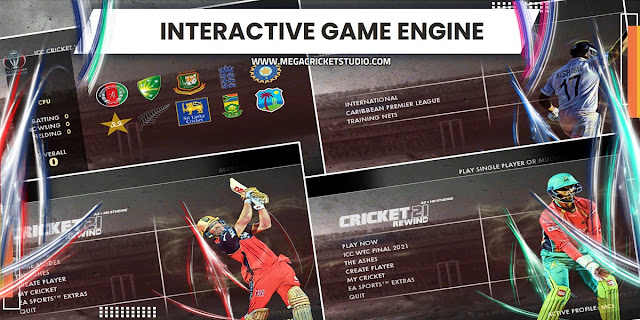
Brand New Main Menu updated.
Roster with real names + transfers updated to 2021 (LATEST)!
Every international playing nation's home Pitchads, stumps, and outfields!
35+ International Stadiums and New Stadium Select added.
All International Player faces accurately assigned!
Genuine fixtures – the reality and the game, there’s no discrimination!
All International standard Broadcasting Overlays & Menu - BCCI, Star Sports, PTV, Sony, Sky Sports, Super Sports, Fox Cricket, Asia Cup, ICC.
The new 4K BatPack 2020 is used & correctly assigned to the players who own their bat!
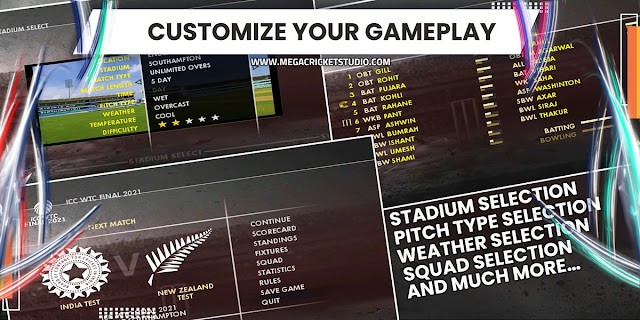
3 Different Realistic gameplay – LOW, MEDIUM, HARD
EA SPORTS CRICKET 07 Player Editor can be used to change player details according to your choice.
Besides this, You can Have training Sessions, Play 22 International tours and tournaments.
The Ashes 2019 - a whole set of experiences.
Set of 15 international standard umpires with 3 different kits and accurate faces.
Unique KITS for all Teams and their players.
Jukebox Updated to 2021 Music.
Pink Balls added (Kookaburra and SG Test).
Special Helmet Guard and Tattoos assigned to players
TRAILER | International Cricket 2021 REWIND PATCH
A2 Studios x HD StudioZ International Cricket 2021 REWIND Patch - Official Trailer
INSTALLATION | International Cricket 2021 REWIND PATCH
Step 1:Download and Install Cricket 07 game in a folder (Get Cricket 07 game here)
Step 2:Visit this link and complete the purchase & download the International Cricket 2021 Rewind Game. After downloading,
Step 3: Extract Cricket 21 REWIND MEGA Patch.zip and Run Cricket 21 Rewind Mega Patch Installer.exe and install it anywhere in your computer using your Unique Registration Code that comes with your purchase. eg. Create a new Folder on Desktop (You can use WinRAR, WinZip, 7Zip to extract the downloaded File)
Step 4: After Installation open the folder where you installed the game and open 0.Main Patch Folder, and Run the Game Using 00.A2 HD C21 Launch.exe.
Step 5: Cricket 2021 Launcher will Open. Now Select the Tournament that you want to Play (Let’s say International > ICC World Test Champions 2021).
Step 6: Now Select Original Cricket 07.exe in Executable Options.
Step 7: Now Select TEST Button ( This will select the Test Lineup) and the Game will start automatically.
Step 8: Go to My Cricket > Load/Save > Load roster > ‘C21.ros’ & Start Enjoying International Cricket 2021 REWIND Game.
NOTE: For every Tournament you have to select the respective Tournament like IPL, PSL, BBL, World T20 2021 from Cricket 2021 Launcher, Select the correct lineup and Play.
A2 Studios x HD StudioZ International Cricket 2021 REWIND Patch - Official Installation Video
Hamza / Dhrumil / AJ Mods / Anurag Akash / Prabhul
7
Roster/Squads
Muzammil / Harish
8
Tournament Fixtures
AJ MODS / Harish
9
Faces
AJ Mods / Suman
10
Menu/Misc
Kumarstuff
International Cricket 2021 Rewind - Hallo sahabat Trending News, Pada Artikel yang anda baca kali ini dengan judul International Cricket 2021 Rewind, kami telah mempersiapkan artikel ini dengan baik untuk anda baca dan ambil informasi didalamnya. mudah-mudahan isi postingan
Artikel AIO,
Artikel Cricket 2021,
Artikel International Cricket 2021 Rewind,
Artikel Mega Patch, yang kami tulis ini dapat anda pahami. baiklah, selamat membaca.
MEGA Cricket Studio in association with A2 Studios x HD StudioZ is proud to present International Cricket 2021 Rewind MEGA Patchfor EA Sports Cricket 07. The most awaited and authentic patch as we bring you International Cricket 2021 Rewind MEGA Patch for EA Sports Cricket 07.
DESCRIPTION | A2 Studios x HD StudioZ International Cricket 2021 REWIND
Powered by HD StudioZ, International Cricket 20 Delivers All the major International Tours and Series in the year 2019-20. Cricket 20 Features 22 Bilateral Series including future series. 5 International Leagues With all latest faces, realistic stadiums, different squad for test teams, ODI and T20 teams. It also features all broadcasting overlays. The all-new gameplay delivers a champions-caliper experience with closer controls towards the game engine.
Release Date: August 15, 2021 Genre: Sports
Developer: A2 Studio x HD StudioZ Publisher: MEGA Cricket Studio
TEASER | International Cricket 2021 REWIND PATCH
A2 Studios x HD StudioZ International Cricket 2021 REWIND Patch - Official Teaser
SYSTEM REQUIREMENTS | International Cricket 2021 REWIND PATCH
OS Windows 10 64/32 Bit, Windows 8.1 64/32 Bit, Windows 8 64/32 Bit, Windows 7 64/32 Bit Service Pack 1, Windows Vista 64/32 Bit Service Pack 2* Processor Intel Core 2 Quad CPU Q6600 @ 2.40GHz (4 CPUs) / AMD Phenom 9850 Quad-Core Processor (4 CPUs) @ 2.5GHz Memory 2 GB RAM Sound Card 100% DirectX 8 compatible HDD Space 16 GB available space
TOURNAMENTS | International Cricket 2021 REWIND PATCH
ICC World Test Championship 2021 Final
ICC Cricket World Cup 2019
ICC Champions Trophy 2017
ICC T20 World Cup 2021
Champions League T20 2020
KFC BBL 2020-21
VIVO IPL 2021
PSL 2021
CPL 2020
Asia Cup 2020
Bilateral Series: Ind Tour of Aus 2021
Bilateral Series: Eng Tour of Ind 2021
Bilateral Series: Aus Tour of Eng 2021
Bilateral Series: Aus Tour of WI 2021
Bilateral Series: Ind Tour of SL 2021
Bilateral Series: Ind Tour of Eng 2021 & 20 more
FEATURES | International Cricket 2021 REWIND PATCH
Tournaments/Series in different versions are listed above.
The latest kits assigned correctly for ALL the international teams included in the Patch.
ICC Test Championship Kits with Jersey Number added.
Brand New Main Menu updated.
Roster with real names + transfers updated to 2021 (LATEST)!
Every international playing nation's home Pitchads, stumps, and outfields!
35+ International Stadiums and New Stadium Select added.
All International Player faces accurately assigned!
Genuine fixtures – the reality and the game, there’s no discrimination!
All International standard Broadcasting Overlays & Menu - BCCI, Star Sports, PTV, Sony, Sky Sports, Super Sports, Fox Cricket, Asia Cup, ICC.
The new 4K BatPack 2020 is used & correctly assigned to the players who own their bat!
3 Different Realistic gameplay – LOW, MEDIUM, HARD
EA SPORTS CRICKET 07 Player Editor can be used to change player details according to your choice.
Besides this, You can Have training Sessions, Play 22 International tours and tournaments.
The Ashes 2019 - a whole set of experiences.
Set of 15 international standard umpires with 3 different kits and accurate faces.
Unique KITS for all Teams and their players.
Jukebox Updated to 2021 Music.
Pink Balls added (Kookaburra and SG Test).
Special Helmet Guard and Tattoos assigned to players
TRAILER | International Cricket 2021 REWIND PATCH
A2 Studios x HD StudioZ International Cricket 2021 REWIND Patch - Official Trailer
INSTALLATION | International Cricket 2021 REWIND PATCH
Step 1:Download and Install Cricket 07 game in a folder (Get Cricket 07 game here)
Step 2:Visit this link and complete the purchase & download the International Cricket 2021 Rewind Game. After downloading,
Step 3: Extract Cricket 21 REWIND MEGA Patch.zip and Run Cricket 21 Rewind Mega Patch Installer.exe and install it anywhere in your computer using your Unique Registration Code that comes with your purchase. eg. Create a new Folder on Desktop (You can use WinRAR, WinZip, 7Zip to extract the downloaded File)
Step 4: After Installation open the folder where you installed the game and open 0.Main Patch Folder, and Run the Game Using 00.A2 HD C21 Launch.exe.
Step 5: Cricket 2021 Launcher will Open. Now Select the Tournament that you want to Play (Let’s say International > ICC World Test Champions 2021).
Step 6: Now Select Original Cricket 07.exe in Executable Options.
Step 7: Now Select TEST Button ( This will select the Test Lineup) and the Game will start automatically.
Step 8: Go to My Cricket > Load/Save > Load roster > ‘C21.ros’ & Start Enjoying International Cricket 2021 REWIND Game.
NOTE: For every Tournament you have to select the respective Tournament like IPL, PSL, BBL, World T20 2021 from Cricket 2021 Launcher, Select the correct lineup and Play.
A2 Studios x HD StudioZ International Cricket 2021 REWIND Patch - Official Installation Video